
BLE主机实战:分析APP主动断开后从机打印的LOG
一、前言
上一篇文章我们解决了芯科芯片打印的问题,本篇将分析断开连接后芯科做为从机打印出来的断开连接的LOG。
二、阅读说明
1、芯科芯片开发学习者。
2、蓝牙 spec学习者。
三、正文
1、使用的demo
芯科芯片:Bluetooth - SoC Blinky
2、串口打印的LOG
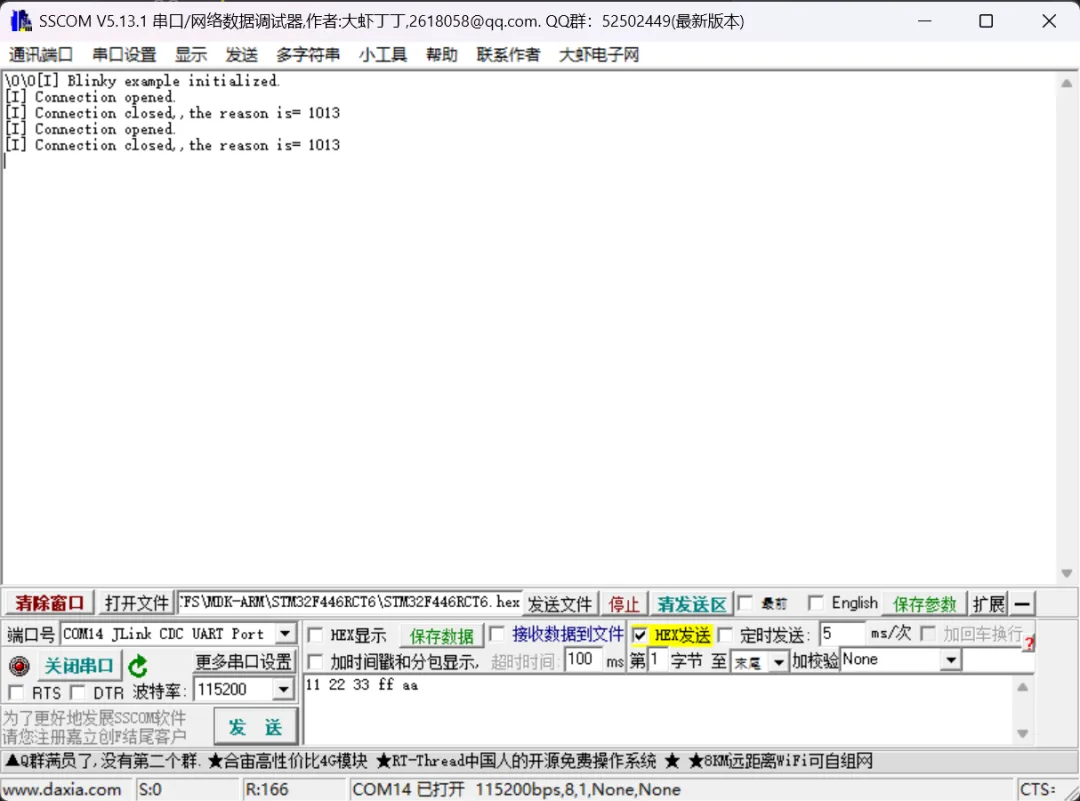
cs
\0\0[I] Blinky example initialized.
[I] Connection opened.
[I] Connection closed,,the reason is= 1013
[I] Connection opened.
[I] Connection closed,,the reason is= 1013
如上图所示,当连接断开时,打印出的原因为0x1013。
3、蓝牙Spec中的断开事件
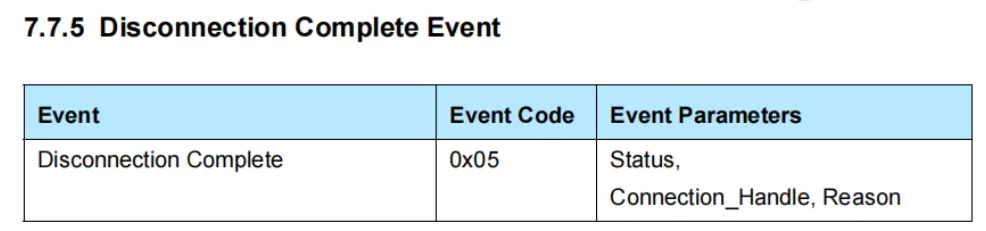
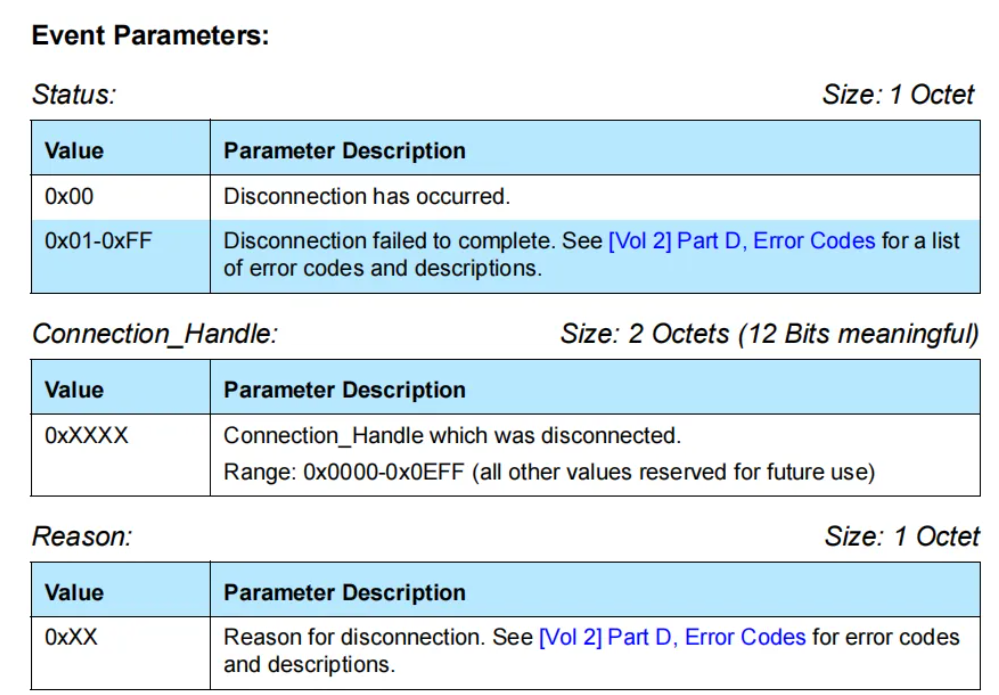
由上述的标准可以看出,断开的原因应该是一个字节才对,那为什么我们会打印出2个字节的数据呢。
4、查看芯科芯片关于断连事件的源代码
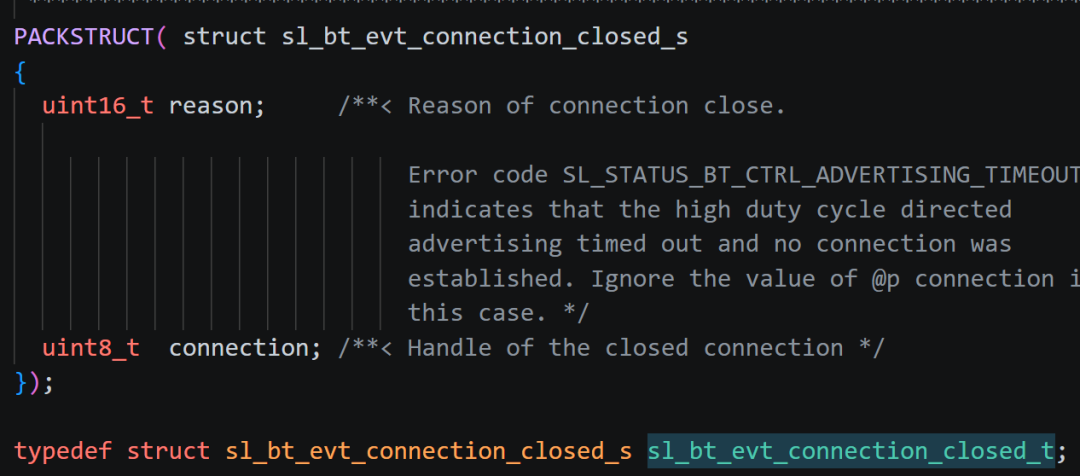
cpp
PACKSTRUCT( struct sl_bt_evt_connection_closed_s
{
  uint16_t reason;     /**< Reason of connection close.
                            Error code SL_STATUS_BT_CTRL_ADVERTISING_TIMEOUT
                            indicates that the high duty cycle directed
                            advertising timed out and no connection was
                            established. Ignore the value of @p connection in
                            this case. */
  uint8_t  connection; /**< Handle of the closed connection */
});
typedef struct sl_bt_evt_connection_closed_s sl_bt_evt_connection_closed_t;
如上图所示,可以看到reason被定义为了uint16_t类型,也就是2个字节。
结合蓝牙spec来看的话,这个结构体是定义错了,理论上只应有一个字节才对,从打印的结果来看,打印出来的值是0x1013,蓝牙协议中关于远端断开的错误代码是0x13,所以我们可以取0x1013的低位就好了。下去是蓝牙spec中关于远端的用户断开连接的错误代码描述。

四、结尾
本篇的分析了芯科芯片断开连接的log。